From the blog
Supplement Brand Website FDA Compliance CMS: What Ships in 36 Hours, Not 3 Weeks

It is 7:04 on a Wednesday morning in Boulder. You open your inbox and there it is: a warning letter from FDA's Office of Dietary Supplement Programs. Fifteen business days to remove a specific phrase about a covered ingredient from every page that mentions it. Not just the PDP - the category page, the ingredient glossary, three old blog posts, two landing pages from last year's Black Friday push, and the meta descriptions, because the bots index those too. This is the moment a supplement brand learns what a supplement brand website FDA compliance CMS is actually worth.
Not when traffic is up and the team is celebrating an AOV record. When the clock is ticking and one sentence has to disappear from two hundred URLs before Friday next week. The thesis here is simple: supplement brands don't need a better website. They need a faster way to change the one they have. If you want to talk through what that looks like for your catalog, book a 20-minute scoping call and bring a recent COA and one product page you would change today if you could.
The supplement brand website FDA compliance CMS problem, stated plainly
Dietary supplements live in a regulatory pocket almost no other consumer category occupies. DSHEA lets you market a product without pre-market approval, but it draws a bright line between structure/function claims ("supports healthy joint function") and disease claims ("reduces arthritis pain"). One side of that line is normal Tuesday business. The other is a warning letter, a payment processor review, and a 15-business-day sprint.
FTC layers on top. Any claim - even a structure/function one - must be backed by "competent and reliable scientific evidence" the moment you publish it. If the evidence shifts, your copy has to shift with it. The substantiation file your regulatory consultant keeps in a binder has to match what is rendered on every public URL, today.
And there is the catalog itself. A serious brand carries 40 to 300 SKUs. Each has a Supplement Facts panel, serving size, ingredient list (magnesium glycinate is not magnesium oxide), structure/function claim, allergen disclosures, a 21 CFR 111 GMP attestation, and a Certificate of Analysis per batch. The COA is dated. The batch changes. The page has to reflect both. A CMS that makes you wait three weeks for an agency change order is not a CMS for this industry - it is a liability.
What to look for in a supplement brand website designer in 2026
If you are reading this because you are interviewing agencies, here is the uncomfortable truth most pitches will not raise: visual design is a tiny share of what makes a nutraceutical site survive a hard year. The variables that matter are claim-phrasing discipline, structured catalog data, the speed of copy edits across the entire URL set, audit-log evidence you can hand to regulatory, and whether ChatGPT and Perplexity cite you when a shopper asks about an ingredient. If your supplement brand website designer is selling you mood boards and ignoring those five, you are buying the wrong thing.
Our shortlist when operators ask us what to look for in a nutraceutical web design agency:
- Can they show you a live PDP with Product plus NutritionInformation JSON-LD? If their portfolio sites treat the Supplement Facts panel as a JPEG, they do not understand the SEO surface area of this category.
- What is their SLA on a five-word claim edit across 80 PDPs? If the answer is "open a ticket and we will scope it," they are not built for warning-letter weeks. A real vitamin brand website company publishes a blocker SLA measured in business hours, not business weeks.
- Do they keep a timestamped audit log of every copy change? Because the response letter to FDA includes a remediation timeline, and "trust me" is not a timeline.
- Do they track LLM visibility on your ingredient names? A growing share of "best magnesium glycinate" searches happen inside ChatGPT and Perplexity now. A supplement marketing agency that does not measure this is flying blind.
- Do they own your stack or do you? If migration is a hostage negotiation, the answer is wrong. Workspace CMS gives you a clean export at any point.
Workspace CMS, run by the 1Digital team, hits every one of these. You can browse the full features inventory or walk through the live demo gallery for other regulated-industry sites built the same way.
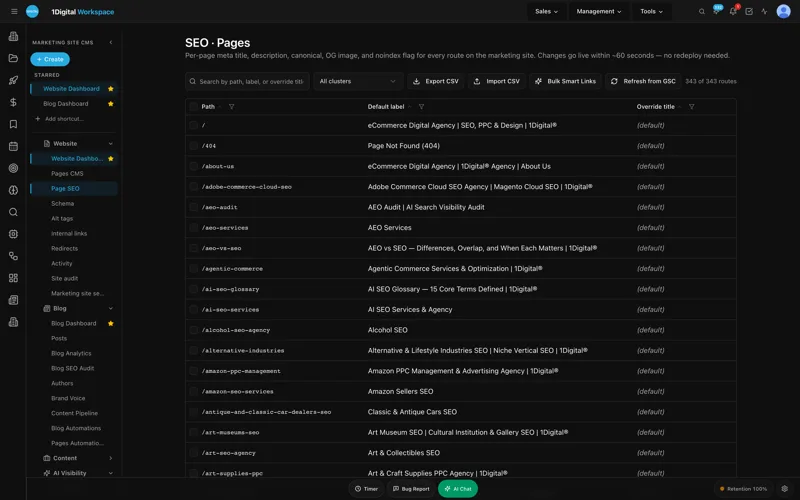
What "send a ticket; we ship the change" actually means at 7am Wednesday
Workspace CMS is built around a model that sounds almost old-fashioned: real humans, real AI tools, real changes shipped fast. No page-builder fighting, no Jira ticket groomed in next sprint's planning. You send a request - in the admin, by email, or by Slack - and a human-plus-AI team ships the change against an SLA.
For a supplements brand on the Premium tier, that SLA is 12 to 24 hours on standard changes and four business hours on blockers. "Blocker" in our intake form has a specific definition for this industry: anything tied to a regulatory letter, a payment processor compliance review, a COA recall, or an ingredient supply change that affects label accuracy.
The mechanical version of the 7am scenario:
- 7:15am- you forward the FDA letter and circle the offending phrase.
- By 11am- we audit every instance across PDPs, blog, category copy, meta descriptions, alt text, llms.txt, and JSON-LD using the AI Content Audit pass.
- By end of day- replacement copy is drafted in compliant structure/function language and redlined by your regulatory reviewer inside the Page Editor SEO Sidebar.
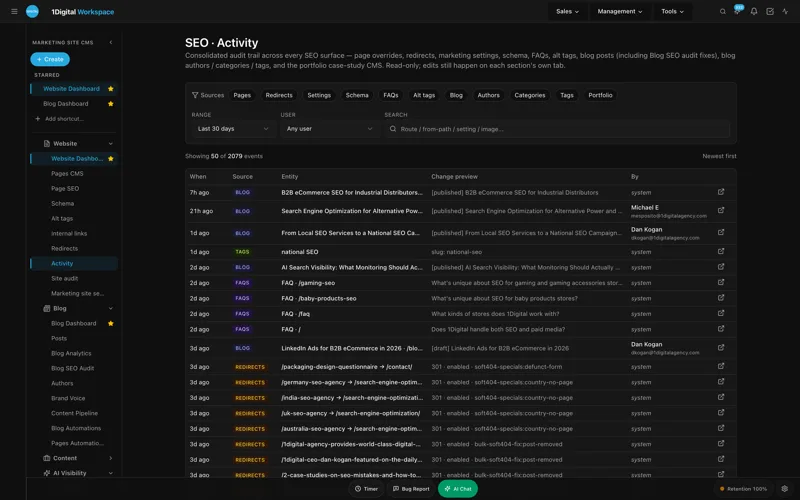
- By next morning- the change is live across all affected URLs, redirects are in place via the Redirect Manager, and an audit log entry is timestamped for your response file.
Under 36 hours, with documented evidence of remediation you can attach to your response letter. The 15-business-day window stops being a panic and starts being a paperwork exercise. We document the full managed-change workflow on the marketing site if you want to see how the intake routes.
UNLIMITED MANAGED CHANGES
Send a ticket. We ship the change.
Every Workspace CMS plan includes unlimited managed CMS edits. Essentials ships in 4 business days. Growth ships in 2. Premium ships in 12–24 hours. No per-edit fees. No "open a Jira" overhead. Every compliance copy edit, every COA refresh, every state-shipping table update, every new ingredient detail page - just describe what you need and our team builds it on your live site.
Catalog architecture: serving size, nutrient panels, and COA-per-batch as AEO surface area
The second reason supplement brands end up on Workspace CMS is structured catalog data. Most supplement PDPs treat the Supplement Facts panel as a flat image - a JPEG of the label. That is a missed opportunity for both Google Shopping and for AEO. When a shopper asks ChatGPT "good magnesium glycinate at 200mg with no fillers," the engines that win are the ones whose pages expose serving size, %DV against RDA, elemental mineral content, and inactive ingredients as structured data.
The Structured Data (JSON-LD) Editor gives you visual, validated control of Product plus NutritionInformation per PDP without anyone writing JSON by hand. Your magnesium glycinate page emits serving size, servings per container, %DV fields, and elemental milligrams as machine-readable data. The AI Visibility Tracker then queries ChatGPT, Claude, Perplexity, and Gemini against thirty category prompts - "NSF certified magnesium glycinate," "third-party tested electrolyte powder" - and tells you week over week whether your brand is cited.
The COA story is similar. Brands that host COAs as PDFs in a Dropbox folder are invisible to crawlers and to LLMs. Brands that publish a structured ingredient detail page per batch - assay results inline as a table, testing lab named, test date stamped - get cited as the authoritative source. The Blog Post Manager and Content Pipeline Board let you template that page once and ship batch updates as a content edit, not a developer ticket. The Site Audit pass runs nightly across the catalog and flags any PDP whose schema, alt text, or canonical drifts out of compliance before it hurts ranking.

State shipping, white-label admin, and the operational features that earn their rent
Six months in, here are the parts of the platform we actually open every week. Not the marketing checklist - the parts that move quality and revenue numbers.
- Page Editor + SEO Sidebar. The rich-text editor with a permanent SEO panel is where compliance edits actually happen. Your regulatory reviewer opens the PDP, sees the meta, canonical, schema, and body copy in one frame, and redlines the structure/function language in place.
- Automations. Recurring AI drafts, sweeps, and detection runs are scheduled jobs. We run a weekly automation that scans the catalog for any new instance of banned phrasing and a monthly automation that re-pulls the AI Visibility Tracker prompts. The same engine powers our warning-letter response workflow - a saved sweep that re-runs the AI Content Audit against the current banned-phrase list.
- AI Content Audit. Forty-plus issue detection across the catalog with one-click fixes. This is the feature that flags "reduces inflammation" before it ever ships and rewrites it to "supports a healthy inflammatory response" with a redline you approve.
- Site Audit. Lighthouse-grade scoring plus 40-plus on-page checks refreshed nightly. We caught a missing canonical on a duplicate landing page that was cannibalizing our hero ingredient term before it cost us a quarter.
- Per-Tenant Isolation and White-Label admin. For brands running multiple house labels, a private-label co-pack arm, or a B2B practitioner channel, RBAC plus the audit log plus a white-labeled admin lets each business unit work in its own walled garden without re-buying the stack.
- Multi-Location Storefront. The same feature HVAC brands use for service-area ZIP search powers per-state shipping tables and state-restriction messaging for supplements. CBD-adjacent SKUs that cannot ship to Idaho or Iowa get a clean shopper-facing block at the cart layer, not a chargeback at fulfillment.
- Structured Data (JSON-LD) Editor. Visual editor with live validation before publish. Product, NutritionInformation, FAQPage, and Organization all editable per page, no deploy.
- Redirect Manager. 301/302/307/308 with conflict detection and CSV import. When we retire a discontinued SKU mid-warning-letter response, the redirect to the replacement does not collide with three other rules nobody remembered writing.
Sitemap, robots.txt, and llms.txt regenerate on every publish so we never have to remember. Internal-Link Rules wire the ingredient glossary into the PDPs automatically, anchor-text aware, so new content gets the same link equity as the legacy pages.
Pricing: which Workspace CMS tier is honest for a supplement brand
The wrong tier wastes money. The ladder is $89, $199, and $449 monthly.
Essentials at $89/month
Self-managed. Four-business-day SLA on managed changes, AI Blog Generator, 5-prompt AI Visibility Tester, 200 AI credits, full SEO controls, Vercel hosting and SSL. Fine for a pre-launch or single-SKU shop. Not enough for an active catalog under regulatory pressure.
Growth at $199/month
Where most brands land. Two-business-day SLA on edits, same-business-day on blockers, 1,000 AI credits, 15-prompt AI Visibility tracking, Google reviews on your site (display and reply). Right tier if your catalog is under 50 SKUs and you rarely hear from FDA.
Premium at $449/month
The honest answer for any brand with 50-plus SKUs, a payment processor that has flagged you in the past 18 months, or any warning-letter history. 12 to 24-hour SLA, four-business-hour blocker SLA, 2,500 AI credits, 30-prompt monthly AI Visibility tracking, daily AI Site Audit. A single emergency agency engagement runs $4,000 to $12,000 in our experience - Premium pays for itself the first time you avoid one.
The full tier breakdown compares line items, and a couple of regulated-category case studies walk through how other brands landed on a tier.
What ships in the first two weeks
Most clients launch on Workspace CMS within two weeks. For a supplements brand, that window typically covers: migrating the catalog with Supplement Facts as structured data, importing every COA and wiring per-batch ingredient detail pages, setting up the Redirect Manager with conflict detection against the old URL map, configuring page-level SEO across the catalog through the Page Editor SEO Sidebar, running the Alt-Tag Sweep across product imagery, and seeding llms.txt and JSON-LD with NSF certified, USP Verified, or other certification badges you carry.
Day-to-day, you use the Page Editor SEO Sidebar for compliance copy, the Redirect Manager for catalog churn, Internal-Link Rules connecting the ingredient glossary to PDPs, the Multi-Location Storefront tables for state-shipping rules, and the audit log so regulatory and legal can answer "when did that claim change?" without calling a developer.
Supplement Brand Website FDA Compliance CMS: What Ships in FAQ
Do you handle FDA warning letter remediation, or just the website edits?
Just the edits - fast enough to matter. Your regulatory consultant owns response strategy and the substantiation file. We own the surgical removal of non-compliant copy across every URL, the redirect plan, and the timestamped audit log evidence you attach to your response.
Can you handle COA hosting and per-batch updates?
Yes. We template an ingredient detail page per SKU that pulls structured COA fields (test date, lab, assay results, heavy metals, microbials) inline rather than hiding them in a PDF. Batch updates ship as content edits inside your tier's SLA.
What about NDIN filings and new-dietary-ingredient launches?
You file the NDIN with FDA; we handle the website work - new PDP, structure/function claim copy reviewed against your substantiation file, ingredient glossary entry, schema markup, and llms.txt update so the answer engines learn about it.
How does this compare to Shopify with a compliance app?
Shopify is checkout-first; Workspace CMS is content and SEO-first. Brands often run both - Shopify for cart and fulfillment, Workspace CMS for the marketing site, PDPs that need real SEO control, the blog, and the ingredient glossary.
Do you understand the difference between a structure/function claim and a disease claim?
Yes. Our content team writes against your substantiation file. The line between "supports healthy inflammatory response" and "reduces inflammation" is the kind of distinction we get right by default, not by accident.
If your catalog is two FDA letters away from a hard quarter, the right move is not a redesign. It is a CMS that ships changes inside the regulatory clock. Book a working session with the 1Digital team- bring one PDP, one COA, and one phrase you wish you could change before lunch. Need a change? Just ask.